picoCTF - Web | SSTI1
Problem - SST1
I made a cool website where you can announce whatever you want! Try it out! I heard templating is a cool and modular way to build web apps! Check out my website here !
I recently just wanted to get back into CTFs, not that I was an expert in the matter, but I had some free time today and thought I'd try out a few challenges set by my University's Cyber Security Society. They're using picoCTF as the platform for these problems, they have alot of other challenges that you can check out as well and is not affiliated with my University.
Solution
So I began working on the first problem: Web | SSTI1, and right away it looked like there was some kind of injection needed. My first thought was SQL injection, since that's the type of injection I was most familiar with. But pretty quickly it became obvious that wasn't the exploit here. So, I went back to the challenge description to see if I'd missed anything, and the line "I heard templating is cool" immediately made me think of server-side templates you usually see in full stack frameworks such as Django or ASP.NET core.
A quick Google search led me to SSTI, Sever-side Template Injection, funny how the challenge title was giving away the exploit needed. Using the following SSTI/Payload Cheatsheet, I tested to see if the site was actually vulnerable and to figure out which templating engine it was running. Turns out, it was running on a Python server using Jinja2 and was indeed vulnerable to SSTI - inputting {{7*7}} into the field renders the result of 49.
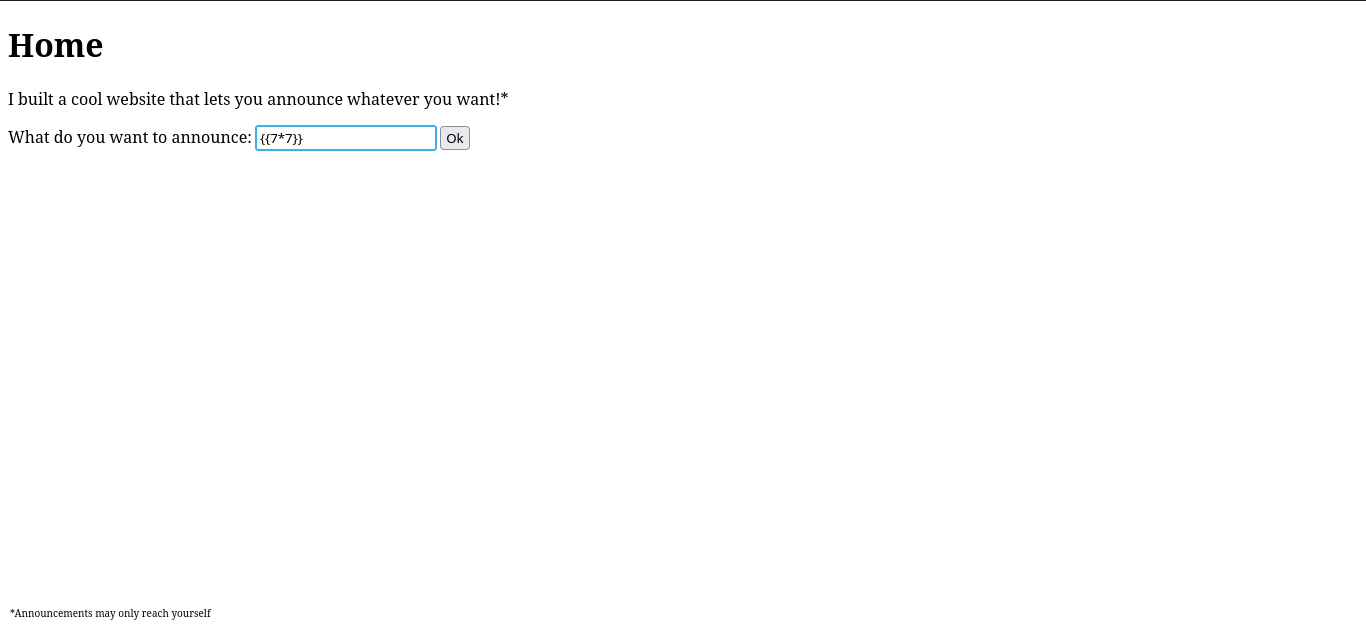

Naturally, I started looking up Jinja2 SSTI payloads since the ones from the cheatsheet weren't working for me. That search led me to this article, which walked through a vulnerable Python Flask app. It included the following payload:
{{request.application.__globals__.__builtins__.__import__('os').popen('id').read()}}
When I dropped that into the site, it worked - returning the user's ID along with their groups, confirming the exploit.

The payload uses Python's magic methods in order to access the os module and execute commands on the host. We can then list out the files in the server via:
{{request.application.__globals__.__builtins__.__import__('os').popen('ls').read()}}
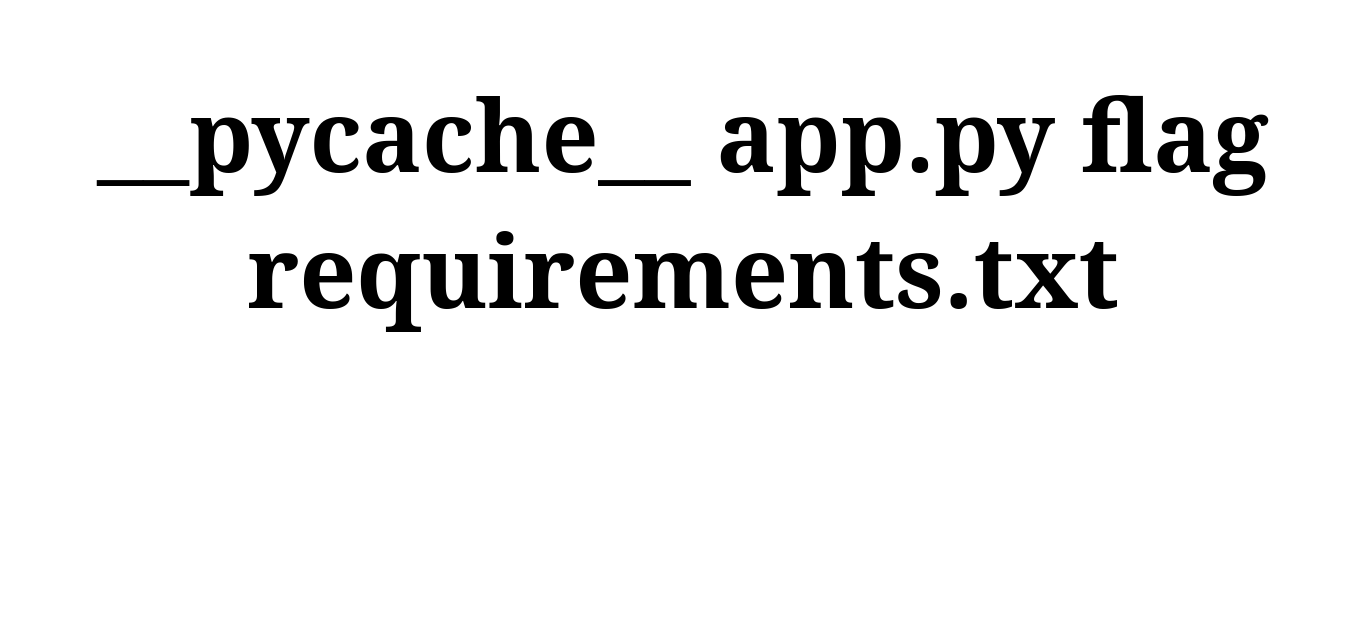
Great! we found the flag, its named "flag", all we need to do now is output the contents of the file. We use the cat command in our next request:
{{request.application.__globals__.__builtins__.__import__('os').popen('cat flag').read()}}
Giving us our flag!
